
Manage & Track Your Assets With One Easy Solution
ENTERPRISE ASSET MANAGER maximises the usability, lifespan and value of assets for different users including:
> Asset Owners
> Building Occupiers
> Equipment Manufacturers (OEM)
Escape the spreadsheet trap & utilise the latest cloud, AI, NFC and QR code technologies.
With optional mobile app, the system makes routine & ad-hoc asset checks, tests and regulatory compliance a breeze for businesses of all sizes and industries.

Enterprise Asset Manager delivers far more than a standard asset register – providing powerful, day‑to‑day support throughout the entire lifecycle of your assets
Just some of our asset management users…



Features
What’s included in the Plan?
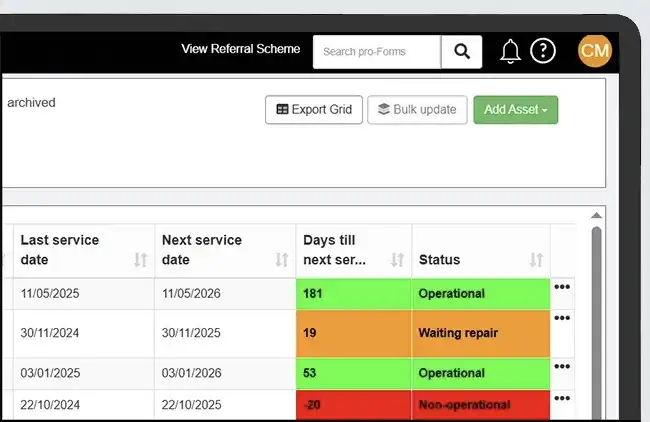
With all the features required to track & manage key business assets from acquisition or installation, through their daily usage and to final disposal, ENTERPRISE ASSET MANAGER has it covered.
> Unlimited users
> Unlimited assets & asset types
> Unlimited Online forms
> Optional mobile Licenses
> Integrations & connectors
> Set-up, configuration & training

Optional mobile app
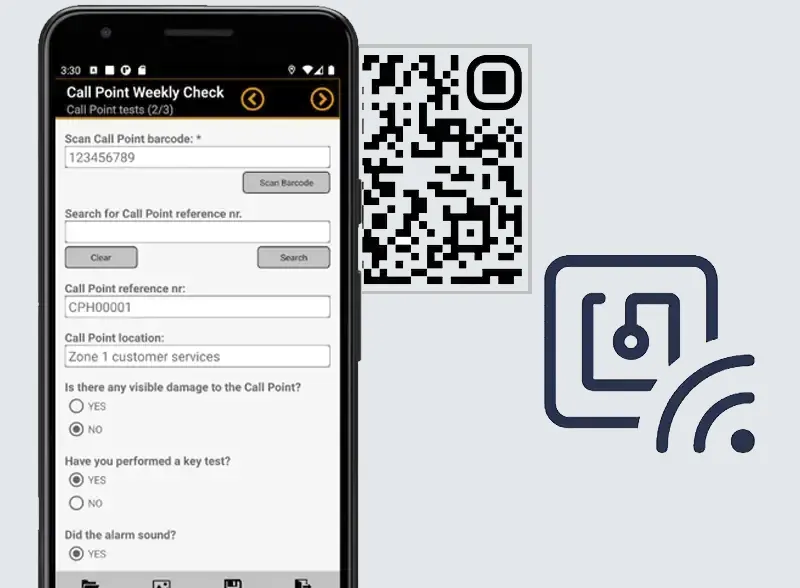
Available on both Android and iOS smartphones & tablets, our Enterprise Asset Management app provides all the features to successfully manage your assets on the move and also perform specific compliance checks & tests.
Help your workers quickly identify business assets using the app through the deployment of QR codes, barcodes and NFC tags on your key assets.
Tag & track your assets
We support several methods for tagging your assets including QR & barcodes and NFC tags, each designed to meet the needs of different situations and purposes such external/ internal, harsh environmental conditions and static or moveable assets.
Scanning a tag is done using either a mobile form in the mobile app or directly in the app itself.
Typical Users
Our typical ENTERPRISE ASSET MANAGER users are from:
> Construction
> Offices/ property
> Building services / fire & security / air conditioning
> Specialist machinery & equipment
> Materials equipment handling (MEH)
> Facilities management








Your Asset Management questions answered.
Lorem ipsum is placeholder text commonly used in the graphic, print, and publishing industries for previewing layouts and visual mockups.
What is full site editing in WordPress?
Full site editing in WordPress allows users to create and edit their website more efficiently and with more control. It enables users to create unique and custom designs without needing to have advanced coding skills.
What are the benefits of full site editing in WordPress?
Full Site Editing in WordPress refers to a feature that allows users to create and edit their website’s entire layout, including the header, footer, and other structural elements, using a visual editor.
How do I enable Full Site Editing in WordPress?
To enable Full Site Editing in WordPress, you need to ensure that you are using a compatible WordPress theme that supports full site editing. You will also need to install the latest version of WordPress and enable the Gutenberg Editor.
What are the benefits of full site editing in WordPress?
Full Site Editing in WordPress refers to a feature that allows users to create and edit their website’s entire layout, including the header, footer, and other structural elements, using a visual editor.
How do I enable Full Site Editing in WordPress?
To enable Full Site Editing in WordPress, you need to ensure that you are using a compatible WordPress theme that supports full site editing. You will also need to install the latest version of WordPress and enable the Gutenberg Editor.
What are some popular WordPress themes that support full site editing?
Some popular WordPress themes that support full site editing include the FotaWP theme, ReviveNews theme, and the Hello Agency theme. These themes have built-in support for full site editing, allowing users to create custom designs without needing to know how to code.
What are the benefits of full site editing in WordPress?
Full Site Editing in WordPress refers to a feature that allows users to create and edit their website’s entire layout, including the header, footer, and other structural elements, using a visual editor.